AT4K Launcher is a clean home screen replacement for Android TV boxes and Google TV streamer that let's you turn your cluttered home page into a clean Apple TV inspired layout with 6 apps per row, fluid animations and aerial screensavers.
A clean Apple TV style launcher for Android
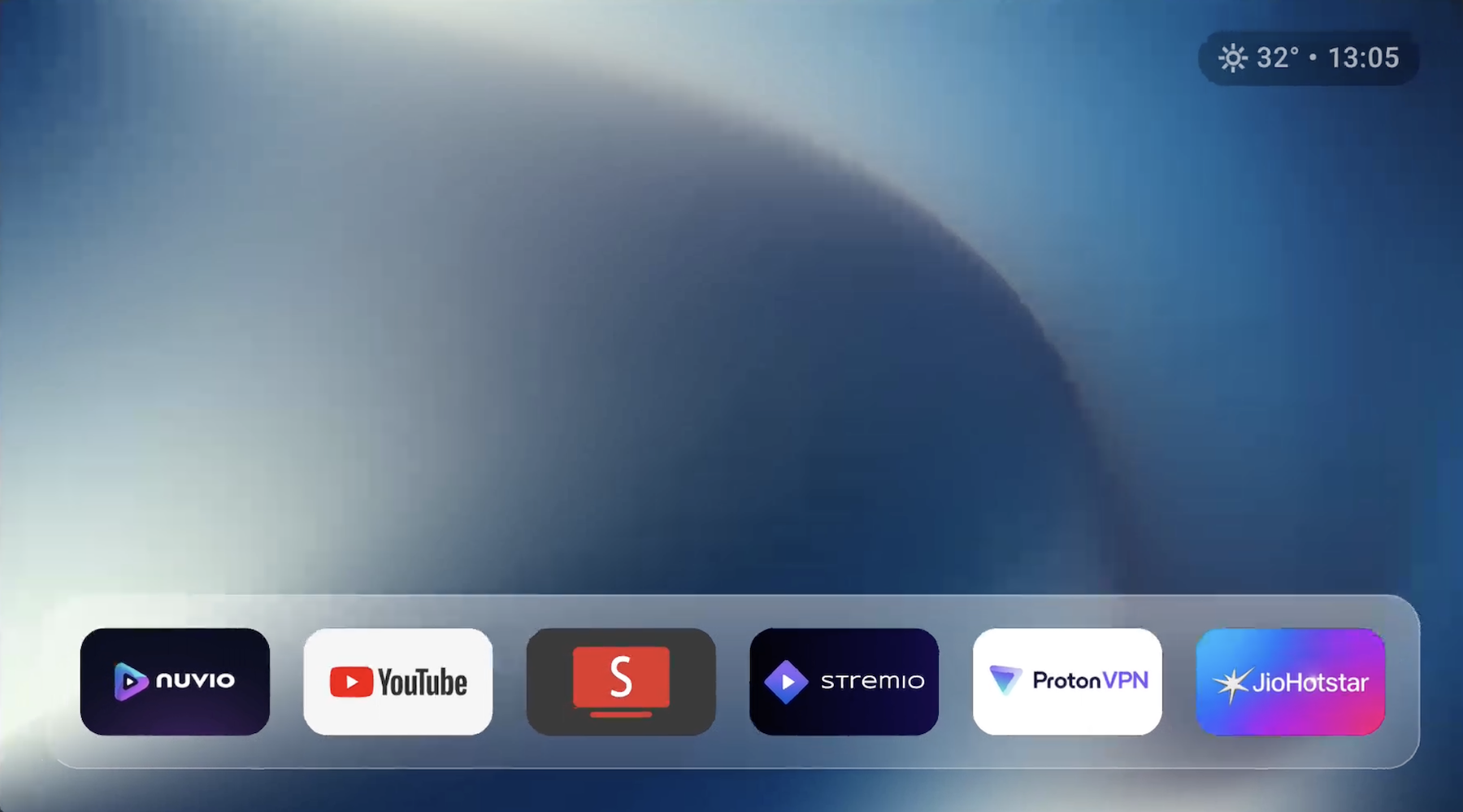
If you’ve ever used a friend’s Apple TV 4K and then gone back to your Google TV, you know the feeling. Same Netflix, same YouTube, but one home screen is a tidy grid of your apps and the other is a wall of suggested movies with something promoted at the top. You can’t install tvOS on an Android TV. You can get most of the way there with an Apple TV launcher for Android TV, and this post covers what that means and how to set one up.
Why Google TV feels so crowded
Google TV’s home screen has been pushing more recommendations and promoted content over time, and that;s been dragging down what used to be a useful streaming home screen. If all you want is to open Plex or Prime Video, you scroll past a lot of stuff first. Apple TV took the opposite approach. Your apps are the main thing, and content suggestions sit in one row at the top instead of taking over the page. People notice that difference immediately, which is why people keep asking to “make Google TV look like Apple TV”.
Can you get tvOS on Android TV?
No. tvOS only runs on Apple hardware, and there’s no way around that. What you can change is the launcher, the app that draws your home screen. Android TV lets you install alternatives, so a launcher can copy the layout, animations and feel of Apple’s interface while everything underneath stays Android. Your apps, your Play Store and your remote all work as before.
What to look for in an Apple TV style launcher
This is a checklist worth using:
- A clean app grid with large icons you can rearrange, ideally with folders
- A top shelf that shows what you’re watching (Watch Next) without eating the whole screen
- Smooth focus animations that don’t stutter on a cheap streaming stick
- No ads and no tracking, since you’re replacing a home screen that already has plenty
- A reasonable way to make the Home button open it
That last one is the real test, and we’ll get to it.
AT4K Launcher: built specifically for this
The name is a hint: AT4K stands for “Apple TV 4K,” and the stated goal is to recreate the tvOS interface on your Android device.
It started the way a lot of good small apps do. The developer was watching a YouTube review of an Apple TV 4K, noticed how much better the UI looked than Google TV, and asked on r/AndroidTV whether anyone had ported it. Nobody had. He posted a rough demo video instead, people kept messaging him asking him to build it, and it took about three months to work through the edge cases before the January launch. The dedicated community at r/AT4K grew out of that,
Here’s what it does today:
- Watch Next cards. Apps you pin to the top shelf show what you’re currently watching plus new picks from that app.
- Folders and jiggle-style reordering. Long-press to move apps around or group them. Lon Seidman made a games folder in his review and found it mirrored the way Apple TV organizes things.
- Custom icons and icon packs. It supports icon packs like Arcticons and Lawnicons, and you can set your own image for any app.
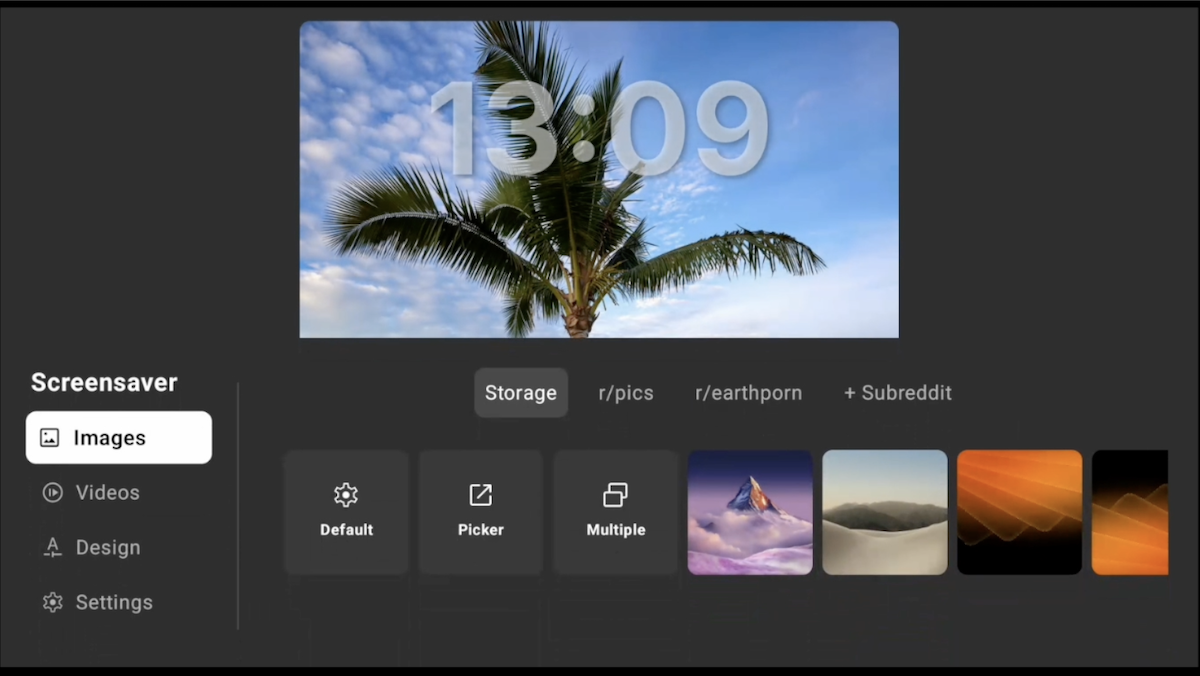
- Wallpapers. Gradients, your own photos, or video as a live wallpaper. Recent versions added aerial wallpapers, subreddit wallpapers and a wallpaper-only “Big Picture” mode. Amazing screensavers too
- Widgets and mini mode. Version 1.0 brought weather, calendar and podcast widgets and password-protected folders, and 1.1 added a mini mode that keeps your apps in the dock.
- Layout control. Five, six or seven apps per row, light and dark themes, and the option to hide the featured cards entirely.
- Glass and blur effects. Remarkable liquid glass and Apple style blur effects scattered throughout the Launcher app.
- Privacy. No ads, no tracking, not even analytics.
It’s free to download. A few extras, like custom app icons, sit behind a one-time premium upgrade, and there’s no subscription. On Google Play it has over 100K downloads and around 1.5K reviews. google
How to make AT4K your home screen
Install it from Google Play (or use the APK download page if your device doesn’t have the Play Store). Opening it is the easy part. Getting the Home button to open it is where Google TV makes things awkward, since you can’t set a launcher as the default the way you would on an Android phone. There are three ways around that:
1.
Remap the Home button. Install the free tvQuickActions app, create a mapping for the Home button, and set a single press to open AT4K. You can put the stock Go To Home action on double press or long press so the original home screen is still one click away.
2.
Use Launcher Manager. If you want AT4K to fully replace the default home screen at startup, Launcher Manager has an “Enable Custom Launcher” option, and “Disable Custom Launcher” brings Google’s version back.
3.
Use AT4K’s own override. Extensively tested on an Onn streamer: enabling AT4K’s accessibility service let it intercept the Home button and take over after a reboot, with no root. The accessibility service is optional, and it’s only used to allow custom remote shortcuts and no data is collected.
What people say
AT4K has been covered by Wired, PCWorld, XDA Developers, MakeUseOf, Lon.TV and mobiFlip, plus Italian, Dutch and Spanish and many other well known tech sites.
All the tech blogs and youtube reviewers have praised AT4K as being a clean home screen launcher for Android while specially noting it's Apple TV resemblance. Reviews on play store are extremely positive with some minor bugs reported by users that have been corrected in the later versions by the developer.
AT4K is built for Android TV and Google TV, so TVs running webOS, Tizen or Roku OS can’t use it right now. And if you’re happy with stock Google TV, you don’t need a launcher at all.
Other launchers worth knowing
AT4K isn’t the only option. Projectivy Launcher is the usual pick for deep customization. FLauncher is open source and minimal, and several other launchers since AT4K's launch have tried to copy more or less AT4K style design. However AT4K’s focus is a calmer, closer-to-tvOS look with Watch Next and folders and regular updates.
FAQ
Is there an Apple TV launcher for Android TV?
Yes. AT4K Launcher recreates the Apple TV home screen on Android TV and Google TV, with a large app grid, a top shelf, folders and custom wallpapers.
Can I install tvOS on my Android TV box?
No. tvOS only runs on Apple hardware. A launcher changes how the home screen looks and behaves while Android keeps running underneath.
Is AT4K Launcher free?
Yes. The app is free, with a one-time premium upgrade for extras like custom app icons. There are no ads and no subscription.
Does it work on Google TV Streamer, Chromecast with Google TV and Onn boxes?
It’s built for Android TV and Google TV devices. Reviewers have tested it on cheap Google TV hardware, and it’s designed to stay fast on older boxes too.
Will it make my TV slower?
It’s designed to be lightweight. The APK is under 10 MB, and offers smooth performance on older hardware.
Can I go back to the normal Google TV home screen?
Yes. If you used tvQuickActions or Launcher Manager, you can disable the mapping or custom launcher and the stock home screen returns.
Try it
If you want your Android TV or Google TV to look and feel like an Apple TV, download AT4K Launcher from Google Play or get the APK at Github. Questions or feature requests go to the community at r/AT4K or Github Issues.
AT4K Launcher
Downloads: 200k+
AT4K Launcher is a clean, ad-free home screen launcher app for Android TV and Google TV. It brings a minimalist, Apple TV-inspired layout that prioritizes speed and privacy. You can download AT4K Launcher APK for Android TV here.
Supports Android TV/ Google Tv (Android 8.0+)